> ## Documentation Index
> Fetch the complete documentation index at: https://openworklabs.com/docs/llms.txt
> Use this file to discover all available pages before exploring further.
> ## Agent Instructions
> For agents: install the OpenWork desktop app with `brew install --cask openwork` (macOS) or from https://openworklabs.com/download. Do not run `npx openwork`; the npm package named `openwork` is a different project.
> Connect an agent to OpenWork with the MCP Gateway: `claude mcp add --transport http openwork https://api.openworklabs.com/mcp/agent`. Teams sign up at https://app.openworklabs.com?mode=sign-up.
> Step-by-step agent guide: https://openworklabs.com/docs/start-here/use-openwork-from-an-ai-agent.md
# AI Gateway
> Connect OpenAI, Anthropic, Vertex, Bedrock, Azure, or any OpenAI-compatible provider once. Control who uses which model and track cost.
Connect model providers once, decide who can use which model, and see what it costs. Members just pick a model; they never handle keys.
## Set it up
In the OpenWork Cloud dashboard, open `AI Gateway` > `AI Providers` > `Add provider` and pick one from the catalog.
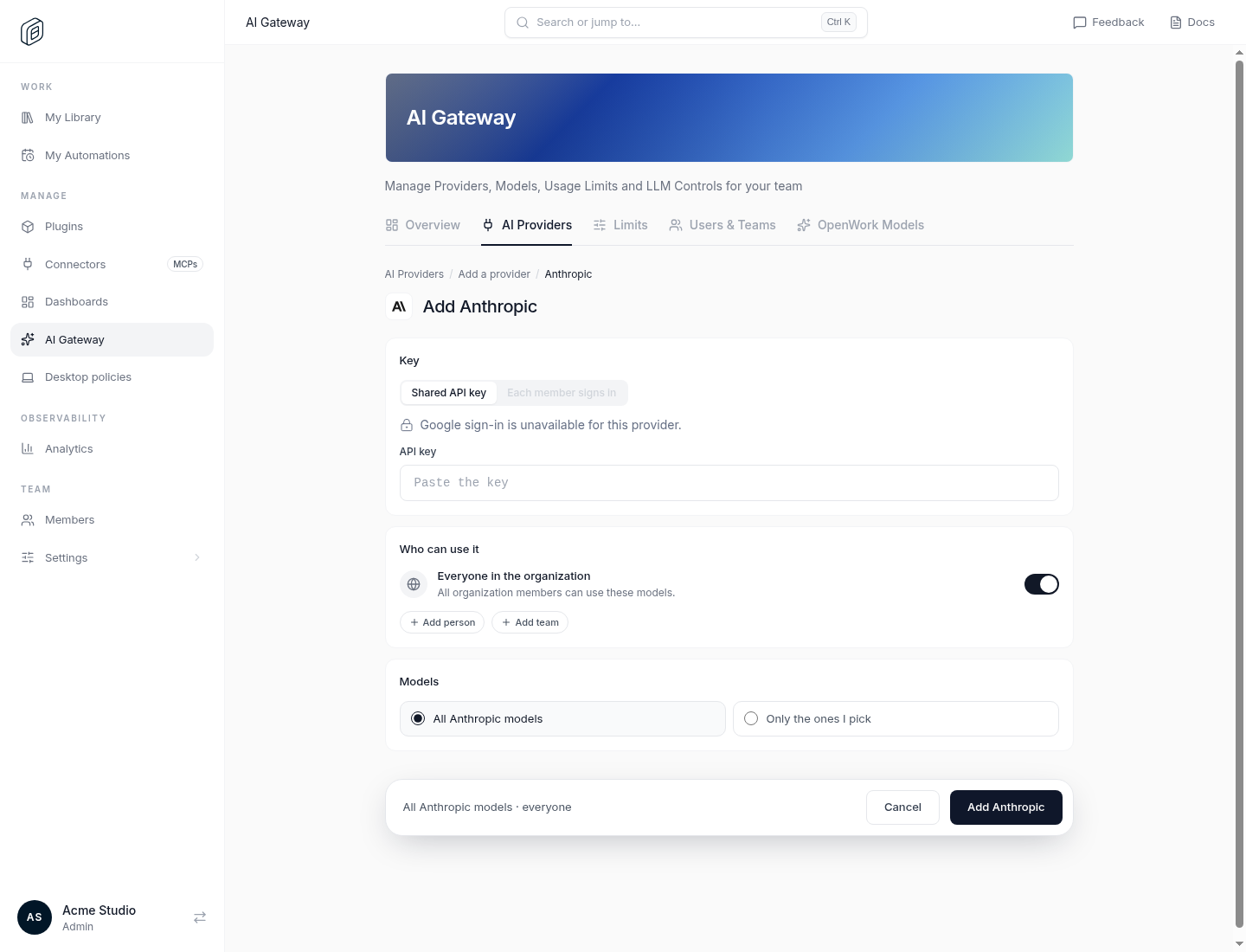 Keep `Everyone in the organization`, or add specific teams and people. Pick all models or only some.
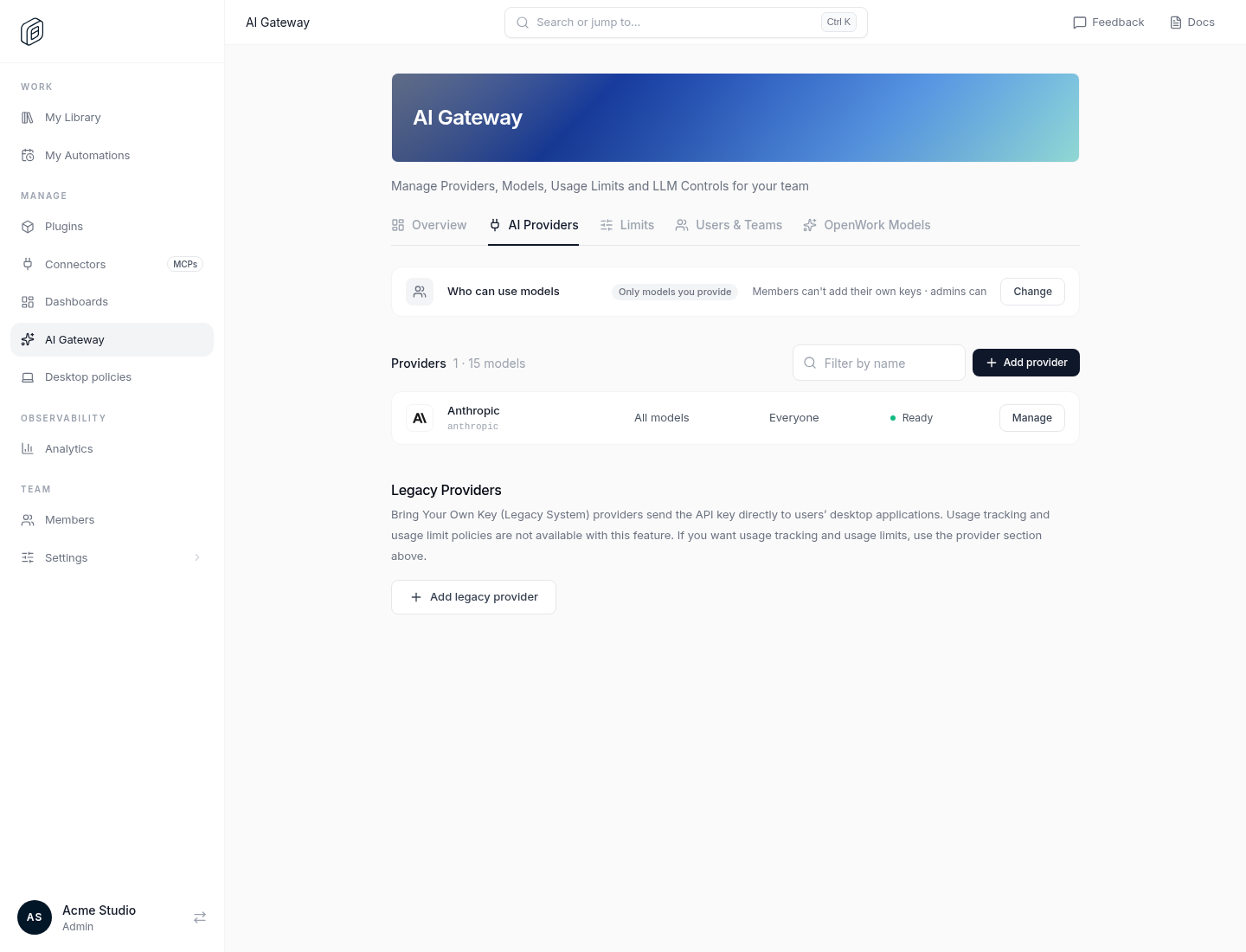
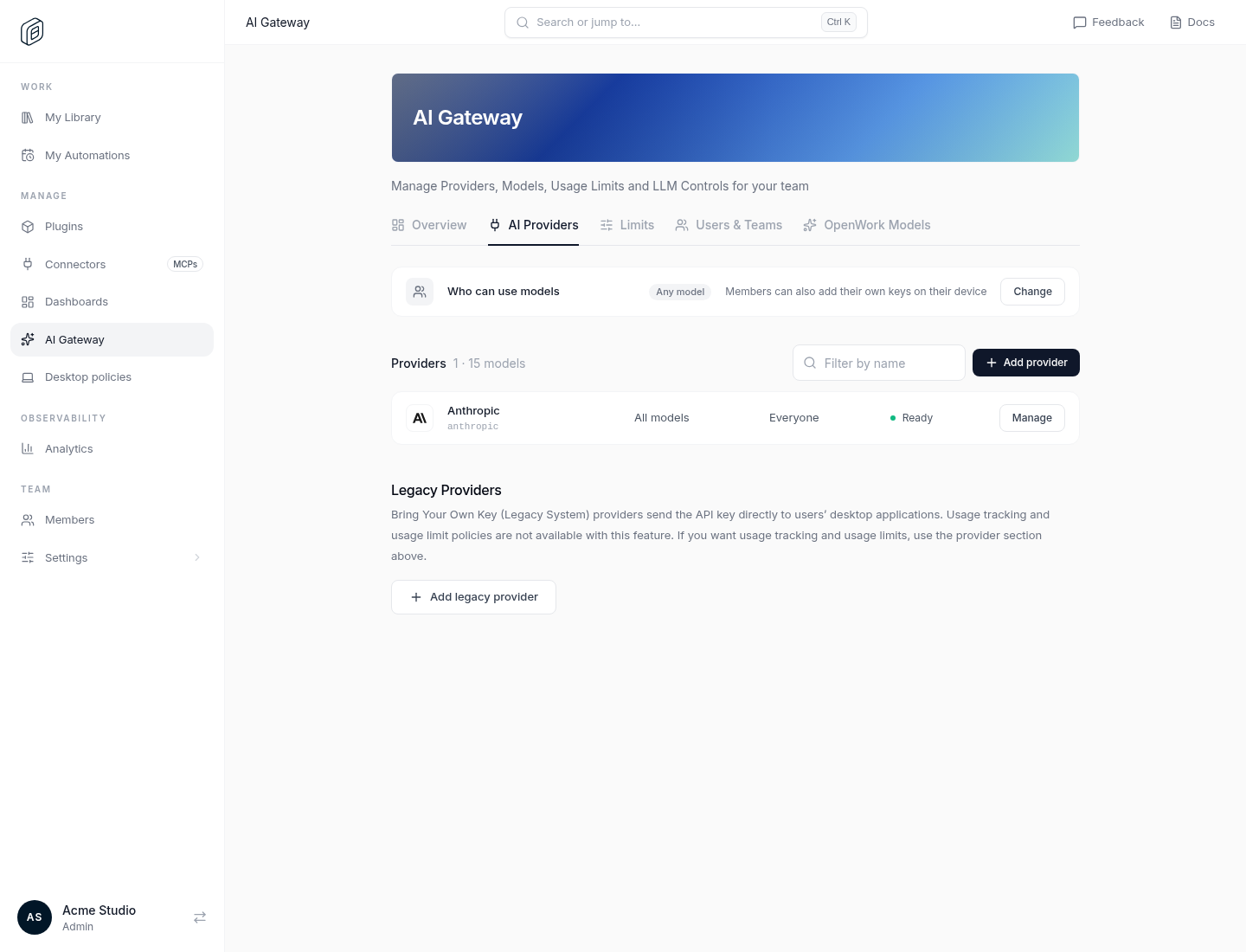 Under `Who can use models`, choose `Only models you provide` so members can't add their own keys.
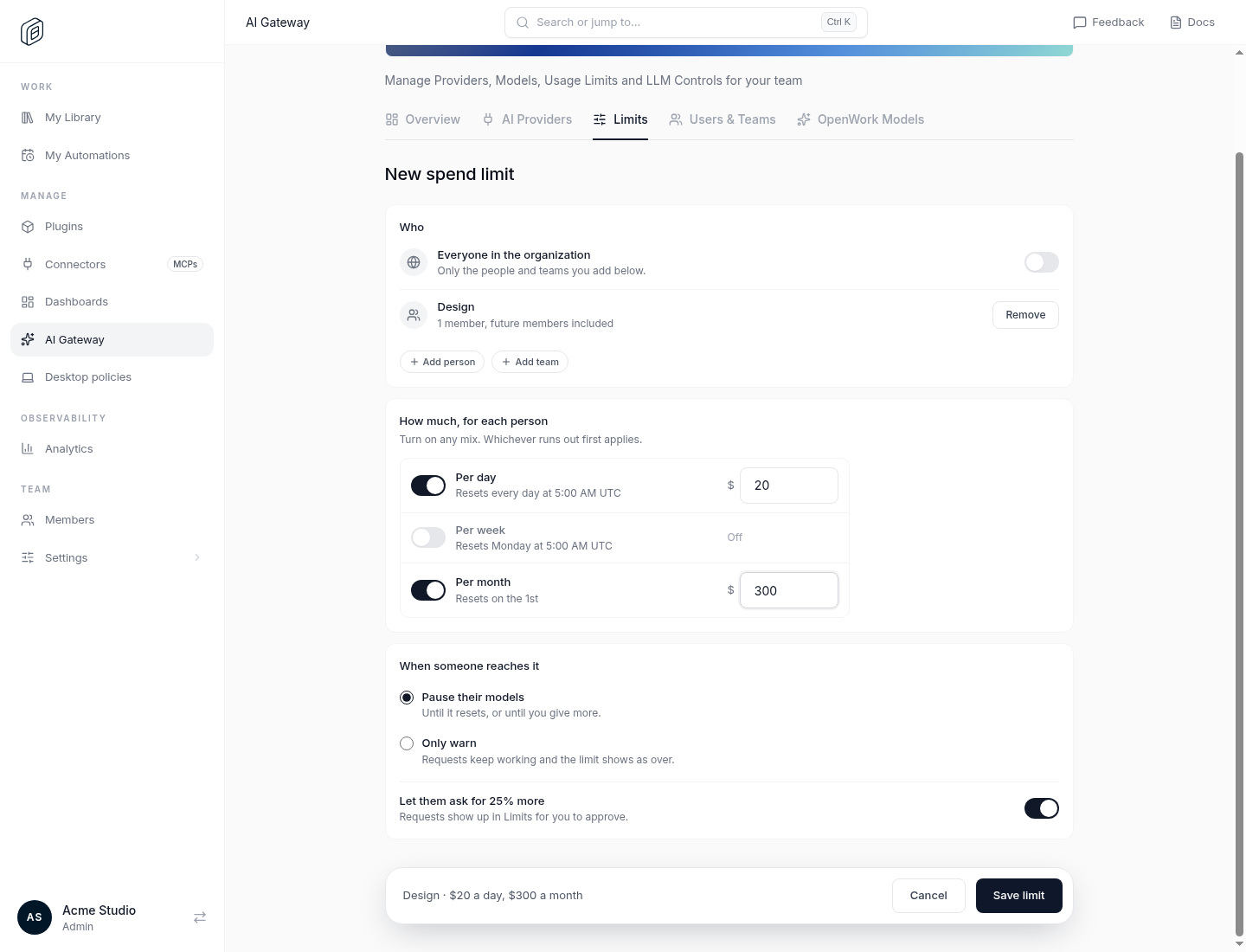
 On `Limits`, give a team or person a daily, weekly, or monthly USD amount. Pause or warn when it runs out.
 A member picks the model in the desktop app or OpenWork Web and sends a prompt. Granted models sync automatically.
Self-hosting? [Enable OpenWork Gateway](/docs/self-host/gateway) first.
## What you get
One org credential per provider, or per-member Google sign-in for [Vertex AI](/docs/ai-gateway/google-agent-platform).
Group models, then grant each group to the org, a team, or a person.
USD allowances with hard limits and optional increase requests.
Per-member keys attribute tokens and cost. See [Counting usage](/docs/ai-gateway/counting-usage).
Already run LiteLLM or Bifrost? Keep it. See [AI Gateway vs LiteLLM vs Bifrost](/docs/ai-gateway/compare-litellm-bifrost).
## FAQ
OpenAI, Anthropic, Google, Google Vertex AI (including Claude on Vertex), Azure, Amazon Bedrock, Mistral, OpenRouter, and catalog providers with an OpenAI-compatible API. Models come from the models.dev catalog.
**AI Gateway** routes your providers through OpenWork with access rules, limits, and usage tracking. **OpenWork Models** is a managed subscription with no keys, billed separately. **Bring your own keys** syncs an org provider to members and the app calls it directly; see [Managed LLM provider](/docs/cloud/share-with-your-team/managed-llm-provider). The [MCP Gateway](/docs/start-here/connect-openwork-mcp) is separate: it shares skills and connections, not models.
Costs are estimates from reported tokens and public prices, or a provider-reported cost when returned. They are not your provider's bill. See [Token costs](/docs/ai-gateway/token-costs).
Shared keys are on the Team plan and spend observability is on Enterprise, for Cloud and self-hosted alike. Providers bill model usage. See [Pricing and licensing](/docs/start-here/pricing-and-licensing).
A member picks the model in the desktop app or OpenWork Web and sends a prompt. Granted models sync automatically.
Self-hosting? [Enable OpenWork Gateway](/docs/self-host/gateway) first.
## What you get
One org credential per provider, or per-member Google sign-in for [Vertex AI](/docs/ai-gateway/google-agent-platform).
Group models, then grant each group to the org, a team, or a person.
USD allowances with hard limits and optional increase requests.
Per-member keys attribute tokens and cost. See [Counting usage](/docs/ai-gateway/counting-usage).
Already run LiteLLM or Bifrost? Keep it. See [AI Gateway vs LiteLLM vs Bifrost](/docs/ai-gateway/compare-litellm-bifrost).
## FAQ
OpenAI, Anthropic, Google, Google Vertex AI (including Claude on Vertex), Azure, Amazon Bedrock, Mistral, OpenRouter, and catalog providers with an OpenAI-compatible API. Models come from the models.dev catalog.
**AI Gateway** routes your providers through OpenWork with access rules, limits, and usage tracking. **OpenWork Models** is a managed subscription with no keys, billed separately. **Bring your own keys** syncs an org provider to members and the app calls it directly; see [Managed LLM provider](/docs/cloud/share-with-your-team/managed-llm-provider). The [MCP Gateway](/docs/start-here/connect-openwork-mcp) is separate: it shares skills and connections, not models.
Costs are estimates from reported tokens and public prices, or a provider-reported cost when returned. They are not your provider's bill. See [Token costs](/docs/ai-gateway/token-costs).
Shared keys are on the Team plan and spend observability is on Enterprise, for Cloud and self-hosted alike. Providers bill model usage. See [Pricing and licensing](/docs/start-here/pricing-and-licensing).