🚀 New Features🐛 Bug Fixes
v0.18.62: Work with OneDrive and SharePoint files in OpenWork
- Work with OneDrive and SharePoint files. Agents can search, open, edit, and save Word, Excel, and PowerPoint files, including files shared with you, once an admin enables the required permission.
- Workbot’s Browser and Computer views connect again. If a computer needs an update, Workbot rebuilds it when you open the view; it avoids rebuilding while a task is running.
- Sign-in and connected admin tools are safer. The desktop app now blocks unsafe non-web links from remote MCP sign-in requests. For teams connecting OpenWork to other AI tools, Den admin changes require write access, scripts cannot call admin tools, and credential data cannot be read through
den_query. - For admins and self-hosters: Den gets security and recovery fixes. Self-hosted Den deployments should update for recent Next.js security fixes, and opt-in administrator permission recovery now works with common database encodings. Operators can also enable hashed sign-in session tokens without signing anyone out.
🚀 New Features🐛 Bug Fixes🏗️ Refactoring
v0.18.61: Keep agent work in view while you work elsewhere
- Keep agent work in view while you work elsewhere. Desktop users can pop the computer view and floating browser into their own windows above other apps, and browser full screen now fills the display.
- Dictate messages and use workspace commands again. On macOS and Windows, dictation shows your words as you speak, stops when you click the mic again, and keeps words across pauses. On OpenCode v2,
/lists workspace commands and skills, and picking one runs it. - Follow Workbot’s browser work and longer tasks. Workbot shows browser activity live and links to pages it opened. Background tasks can pass files and read just the part they need, while longer scripts and documents can finish without a cut-off reply being mistaken for completed work.
- Invitations and connections take clearer paths. Invited teammates can join their workspace during sign-in, invitation emails explain who invited them and where to get help, and completed MCP sign-ins no longer appear to fail. Teams messages and Outlook meeting invitations now wait for your confirmation.
- For admins: organization and billing details are clearer. Compact organization rows, recent organizations, and week-over-week summaries make admin pages easier to scan. The Free plan covers up to five users, and pending invitations count until they expire.
- For self-hosters: web access and standalone installs are more predictable.
openwork-server webanswers only its own host names unless you add proxy names with--allowed-hosts. Standalone server and bootstrap installs require Node.js 24.x (24.22.1 or newer), and the bootstrap installer downloads a supported runtime when needed.
🚀 New Features🐛 Bug Fixes🏗️ Refactoring
v0.18.60: Move older OpenWork installs to OpenCode v2 in the background
- Older installs move to OpenCode v2 in the background. Existing installs still using OpenCode v1 are moved over automatically, with a backup made first so your chats are kept. Windows installers also carry less duplicate engine data, and Windows can identify OpenWork’s signed app files.
- Computer use is more capable and predictable. For Mac users, the agent can script apps directly and keeps working while you use your computer; Take over and Stop return control, and Continue resumes the task. Workbot can also script supported desktop apps. Browser pages keep a steady desktop, tablet, or phone size while the panel changes, and forms take fewer steps. When available, you can dictate into OpenWork or Workbot.
- Chat can work with more of your existing tasks and connections. Type
#to add another task as context, ask the agent to create or move sidebar groups, and find connected actions with everyday wording. You can finish or repair an API-key connection in chat without sharing the key with the agent, and OpenWork Cloud tools work again in older desktop versions. - Documents and first launches are more dependable. Closing an edited document now gives clear save, discard, or cancel choices, and reloading or reopening it preserves your editing session and unsaved work. Workbot can open a requested document beside chat, explain why a file could not open, and show or rebuild a computer that will not connect. Fresh desktop installs can load built-in tools even if the package registry is unavailable; slow Windows sign-in and first launch no longer hide recovery options.
- For admins: team and organization controls are clearer. Platform administrators can manage feature access per organization member and, when enabled, grant organizations Web access or extra Free Auto usage. Admins can finish connector setup after a check fails, remove connectors, and save team-role changes reliably; Workbot settings show one default model and its availability. When available, Workbot can guide eligible people from free Auto to paid Luna without losing the conversation.
- Website visitors can find practical AI governance guidance. The expanded enterprise pages explain governing employee AI and planning an OpenWork rollout.
🚀 New Features🐛 Bug Fixes🏗️ Refactoring
v0.18.59: Read, edit, and discuss documents in Workbot
- Work on documents without leaving Workbot. When Documents is enabled for your workspace, preview Drive files before choosing Edit when editing is enabled, keep chat open beside a document, and continue your conversation with the file in view. Google Docs, Sheets, and Slides stay in Google and save to the original; on OpenWork Cloud, Office files can use an editor in your own workspace when enabled.
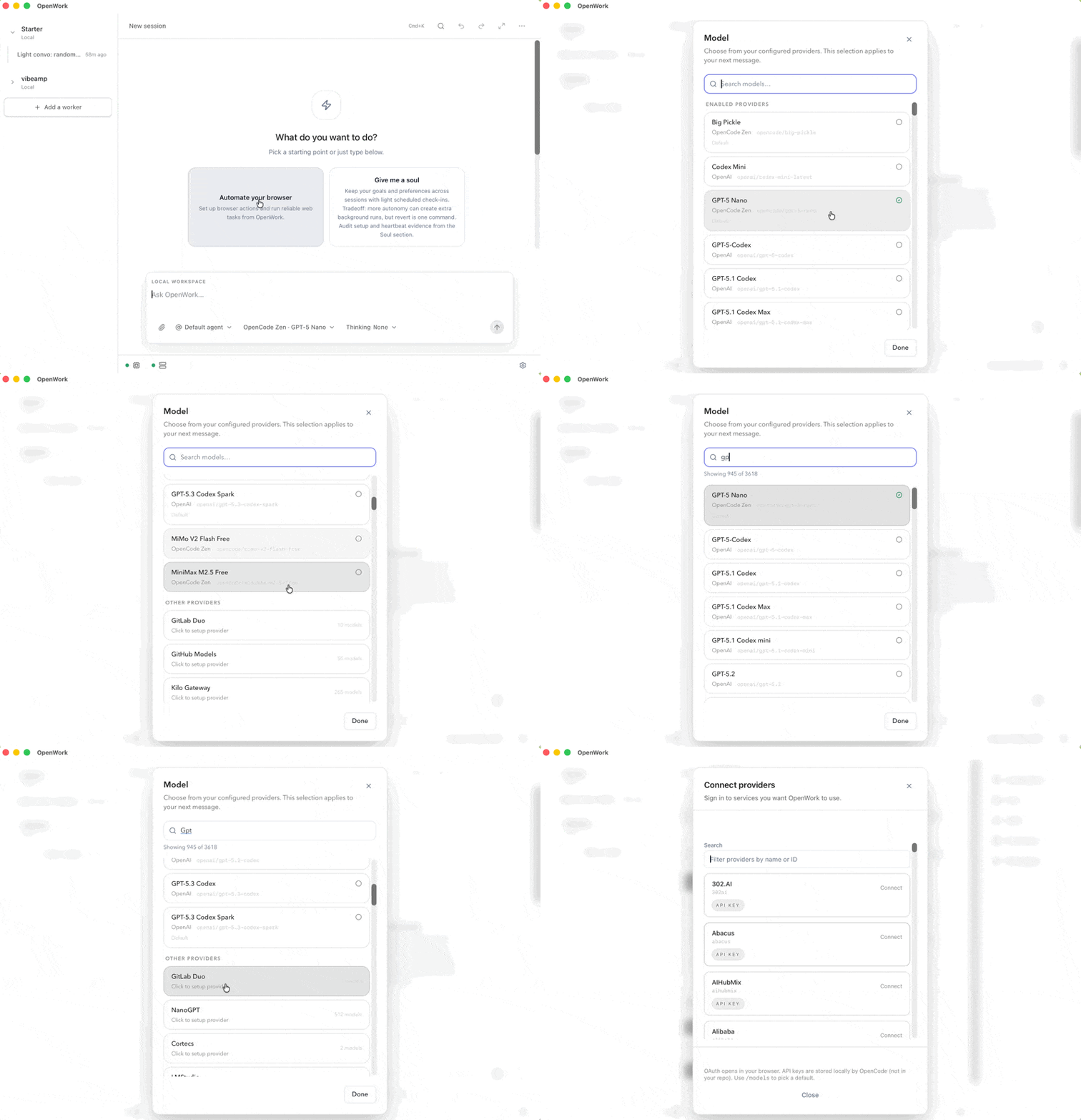
- AI models and providers work more smoothly across OpenWork. Desktop users can use existing Azure Foundry and custom OpenAI-compatible providers on OpenCode v2, see organization model changes in the picker when enabled, and find the same available models in Settings and shortcuts. When AI Gateway access is enabled, cloud agents can use supported models assigned by their organization.
- Admins can check setup before work gets stuck. Settings › Diagnostics brings desktop startup, AI provider, connector, and deployment-service checks together. Google Workspace settings can also identify APIs an admin needs to turn on, and Workbot explains when an organization needs an AI provider before it can answer.
- Chat keeps files, prompts, and agent work on track. Files saved from chat go to the opened folder, including files created in a conversation’s own folder; links with spaces open correctly, failed writes are labeled as failed, and messages in side chats are easier to start. OpenCode v2 history copies can resume after restart; if a chat is too large to copy whole, its largest outputs or attachments stay in the original history.
- Team and Workbot tasks have clearer paths. When enabled, members can connect assigned accounts in Workbot; members with team-management access can open the right team’s settings, and teams can follow tasks started on another computer. When available, admins can set team or organization defaults for new desktop chats and provider-specific spend limits, and inspect Library use and free Auto conversion insights. Workbot’s link-only sharing is gone; authorized invitation emails remain available in Den.
- Self-hosting and connected tools get practical fixes. Self-hosters get updated AWS, Google Cloud, and Azure deployment options and clearer service checks. MCP clients can identify OpenWork and receive clearer tool guidance, and the website’s Trust Center links now lead to the hosted Trust Center.
🚀 New Features🐛 Bug Fixes🏗️ Refactoring
v0.18.58: Run OpenWork Web on your own self-hosted deployment
- Self-host OpenWork Web and team tools on AWS. For self-hosters: run OpenWork Web with sandboxed browser workspaces, and deploy Slack, Workbot, and Automations that run without a desktop. AWS deployments can use existing networks and load balancers, and can connect to an existing cluster or runner fleet.
- Connect OpenCode 2 to your organization. If you use OpenWork from OpenCode: the
opencode-openworkplugin brings in your organization’s AI Gateway models, tools, and skills after sign-in, without the desktop app. You can also upgrade desktop chats to OpenCode 2 with a backup first; its conversations can use the built-in browser and discover connected tools reliably. - Admins get clearer controls and reporting. Organization Analytics is back, with restored usage and workflow history where available. When enabled, admins can also report on skills, plugins, and connectors, set member, admin, and team permissions, and choose a default model for cloud agents; Audit Logs now cover more organization activity.
- Chat and daily work recover more smoothly. Pasted text and images stay at the cursor, reopened Apps load their data, migrated chats with a missing agent can answer again, and OpenWork keeps the Working status visible during quiet stretches. Ollama keeps multiple selected models and their thinking choices; Drive uploads respect your chosen Google account.
- Calendar, Workbot, and connections do more. When Calendar features are enabled, add or edit Automations alongside meetings; Workbot can recover stopped tasks. When enabled, admins can check when connections were last verified, and compatible MCP clients can subscribe to remote-session updates.
- Some familiar pages and searches have changed. Organization dashboards and admin-assigned dashboards in Desktop are gone, while personal dashboards remain. “Search sessions” now searches session titles and workspace names, not message text; for organizations with OpenWork Models, Auto is replaced in the model picker by GPT-6 Luna.
🚀 New Features🐛 Bug Fixes🏗️ Refactoring
v0.18.57: Move your Claude Cowork setup to OpenWork with one prompt
- Move your Cowork setup with one prompt. Ask the agent you already use to follow
openworklabs.com/migrate.mdto bring your Claude Cowork and Claude Code plugins and skills into OpenWork. Re-running picks up changes without duplicates, reuses connections your organization already has, and explains when a connection still needs setup. - Give each teammate their own connector key. For admins: external connections can use individual keys instead of one shared key. Members can add or replace their key from the Library or Den, using a masked entry form; desktop chat can guide them to add one when needed. For admins who use LiteLLM, connecting your own proxy is also available as a preview on request.
- Auto and Apps are available to more organizations. Free Auto no longer needs an organization-by-organization rollout, and every organization can build Apps without a platform admin enabling them. Auto can also read images you attach or that tools return, and signed-out Linux desktops no longer need a system keyring to use it.
- Self-hosting gains a Google Cloud Run starting point. For self-hosters: starter deployment files and instructions cover the Den API, Den web app, and migration job on Cloud Run. Old self-hosted Den settings that had no effect are no longer read.
- Everyday work is clearer and more dependable. Your first organization message now gets an answer before you have a workspace; videos made in a conversation’s work folder play in chat; and stopping a run no longer leaves a bold “Step interrupted” row. Agent-led installs open on Setup complete without requiring Node first, and teammate invites survive workspace claiming. Model names and provider details are clearer. Workbot uses one quiet activity line and can react with emoji, while Slack runs wait for slow desktop work instead of reporting that they are stuck.
- Some desktop options have changed or are gone. Workspace sharing and remote-workspace connections have been removed. Organization Analytics is gone, while usage reporting remains in AI Gateway. Plugins now come from your organization’s Library instead of being installed into workspaces, and the “From GitHub” plugin import is gone. The Library no longer has a card view. Automation choices now say Desktop or Cloud, and computer use has been removed from that editor.
🚀 New Features🐛 Bug Fixes
v0.18.56: Find shared connectors that still need your sign-in
- Shared connectors are easier to find. The Library now has a “Needs sign-in” filter for connectors shared with you that still need your sign-in. In Den, a sidebar dot also points out when something is waiting on you.
- Self-hosted first runs are faster. For self-hosters:
openwork-server webopens your first folder in about a second on a fresh install, instead of taking 10+ seconds on Windows. It also no longer fails with “resource busy or locked” while installing the engine. - Side chats no longer crowd the sidebar. Their chips have been removed from session rows, leaving more room for session names. Open a session to see its side chat.
🚀 New Features🐛 Bug Fixes🏗️ Refactoring
v0.18.55: Workflows and artifacts can use your connected tools
- Connected tools work in Workflows and artifacts. Live artifacts, on-demand Workflows, and scheduled Automations can now use connection tools and perform write actions. Large tool inputs, such as Notion database queries, also work.
- Work sent to your desktop reports back. If you use OpenWork from Slack or another connected app, you can now follow a desktop task’s progress, read its conversation, send a follow-up, or stop it. Slack reports the result in the original thread, and tasks appear as normal chats using your chosen model.
- Auto works in more situations. Eligible organization members can use Auto alongside other models, and signed-out Auto is available to OpenWork builds and compatible clients. Deployments can disable Auto while keeping other models available.
- Chat and the built-in browser are clearer and more dependable. Model choices explain why a model is unavailable; OpenCode v2 now shows a Connect card when a service needs sign-in. The browser explains when a page cannot connect and offers Reload, and HTML file previews are isolated from the rest of OpenWork.
- For admins and self-hosters: Admins can choose “Only models you provide,” enable Slack progress updates, and review free Auto usage. Self-hosters can deploy with draft Terraform modules for AWS ECS Fargate or Kubernetes, including an existing ECS cluster.
- Other changes: OpenWork-built items are now called artifacts. Browser login sync and its setup controls are gone; sign in directly in the built-in browser. Organization-managed Dashboards are disabled by default and must be enabled per organization.
🚀 New Features🐛 Bug Fixes
v0.18.54: Enterprise sign-in and version pinning are back, plus Amazon Bedrock and model shortcuts
- Organization sign-in and allowed versions work again. OpenWork Enterprise and OpenWork Cloud desktops once again ask people to sign in to their organization before they start working, and desktop updates skip any version an admin removed from Allowed desktop versions. Other desktop policies stay saved but are not enforced on the desktop while they are redesigned.
- Amazon Bedrock in AI Gateway. For admins: add Amazon Bedrock and Amazon Bedrock (OpenAI) with an AWS region and access keys, and reuse the saved keys for the second one. Anthropic effort choices are kept through the gateway.
- Switch models with a key. In Settings › Keyboard shortcuts you can bind a key to a saved model with its reasoning level and Fast. ⌃⇧F (Ctrl+Alt+F on Windows and Linux) turns Fast on or off, and the model name shows ”· Fast” while it’s on.
- Chat keeps its place. Editing a message while a reply is running replaces it instead of queueing the edit. Conversations stay in their folder when an agent changes directory, and questions and approvals no longer disappear. You can switch between OpenCode engines from the command palette and choose whether to copy older chats across. Agent tool work is summarized by what it did instead of raw tool names.
- Simpler connector setup. For admins in OpenWork Cloud: API-key, custom sign-in, Google Workspace and Microsoft 365 connectors use the new setup flow and can be edited in place, and Plugins has clearer filters. Apps like Claude Code, Codex and Cursor can connect to OpenWork Connect without registering first, failed sign-ins explain what to do next, and the MCP docs have one-click Cursor and VS Code install links.
- Also in this release. Windows installers are published again. Updating no longer fails with a checksum error after a release is re-run. Update controls in Settings are more compact, a second OpenWork profile no longer stops the first one’s engine, and the website shows OpenWork’s completed SOC 2 Type II audit.
🚀 New Features🐛 Bug Fixes
v0.18.52: Manage your Library from the desktop, find anything from one + menu, and a rebuilt AI Gateway
- Your Library works fully on the desktop. You can now add, share, edit and delete skills, connectors and plugins without leaving the app. A new Connectors tab lists your connectors, adding one starts from a catalog with service logos, and an MCP server’s address is checked before it’s saved. Each item’s page has Chat, which starts a task with that item ready to use, and Share on items you own. When a skill shapes an answer, chat names the skill. Signed out, the Library shows one clear Sign in to OpenWork Cloud button instead of an “Add to library” button that did nothing. Lists also load faster.
- One + menu in the composer finds everything. The paperclip and tools buttons are now a single + menu that opens on a search across your files, skills, connectors, plugins and commands. It still finds what you meant when you make a typo (“hubsopt” finds HubSpot). Attaching a file is the first option, or press ⌘U (Ctrl+U on Windows and Linux).
- Usage limits are clearer. When you reach your organization’s usage limit, the chat says which limit you hit and when it resets, and you can ask for more right there. The account menu shows how much of each limit you have left, and the new Settings › Usage page has the details. The chat no longer also shows a misleading “too many requests” error under the limit.
- AI Gateway is rebuilt and available to every organization. For admins: AI Gateway is now a regular page in the sidebar. Add a provider from a catalog, then set its key, who can use it and which models in one form. Overview shows who spends what and on which models, with a page for each person. Limits lets you cap spend per day, week or month for everyone, a team or one person, and you can undo a deleted limit. Users & Teams shows everyone’s providers, limits and last 31 days of spend. Mistral is now supported. Members can sign in to Gemini and Claude on Google Cloud with their own Google account from the new Models section of My Library, which replaces the old My Model Connections page.
- Connectors and plugins are simpler to manage. For admins in OpenWork Cloud: add a connector in a few steps, choose whether each person signs in or one account is shared by everyone, and pick which teams get it. Add any MCP adds a server that isn’t in the catalog, or you can paste its address into the search. Manage › Plugins lists every plugin with who has it. You can create one and give it to teams right there, then search by name or filter by team or person. Removing a connector or plugin now asks first, and switching a connector to one shared account warns you before it signs you out. Owners can also approve their self-hosted OpenWork web address in Org settings so members can sign in there, even if they belong to several organizations.
- Also in this release. The first time you click a link, OpenWork asks whether to open it in OpenWork or your usual browser and can remember your choice. You can change it later in Settings › Preferences › Browser, or right-click a link to choose once. Session search and notifications sit next to the OpenWork name at the top of the sidebar, and window controls look native on macOS, Windows and Linux. The built-in browser no longer has a Suspend button. After you sign in, Settings › AI providers works right away, even before you create your first workspace. If you use OpenWork from Claude Code, Cursor or Codex, agents can update shared skills. When a long document or email is cut short, they’re told the full length and how to read the rest.
🚀 New Features🐛 Bug Fixes🏗️ Refactoring
v0.18.50: Run OpenWork on your own server with one command
- Self-host OpenWork with one command. For self-hosters:
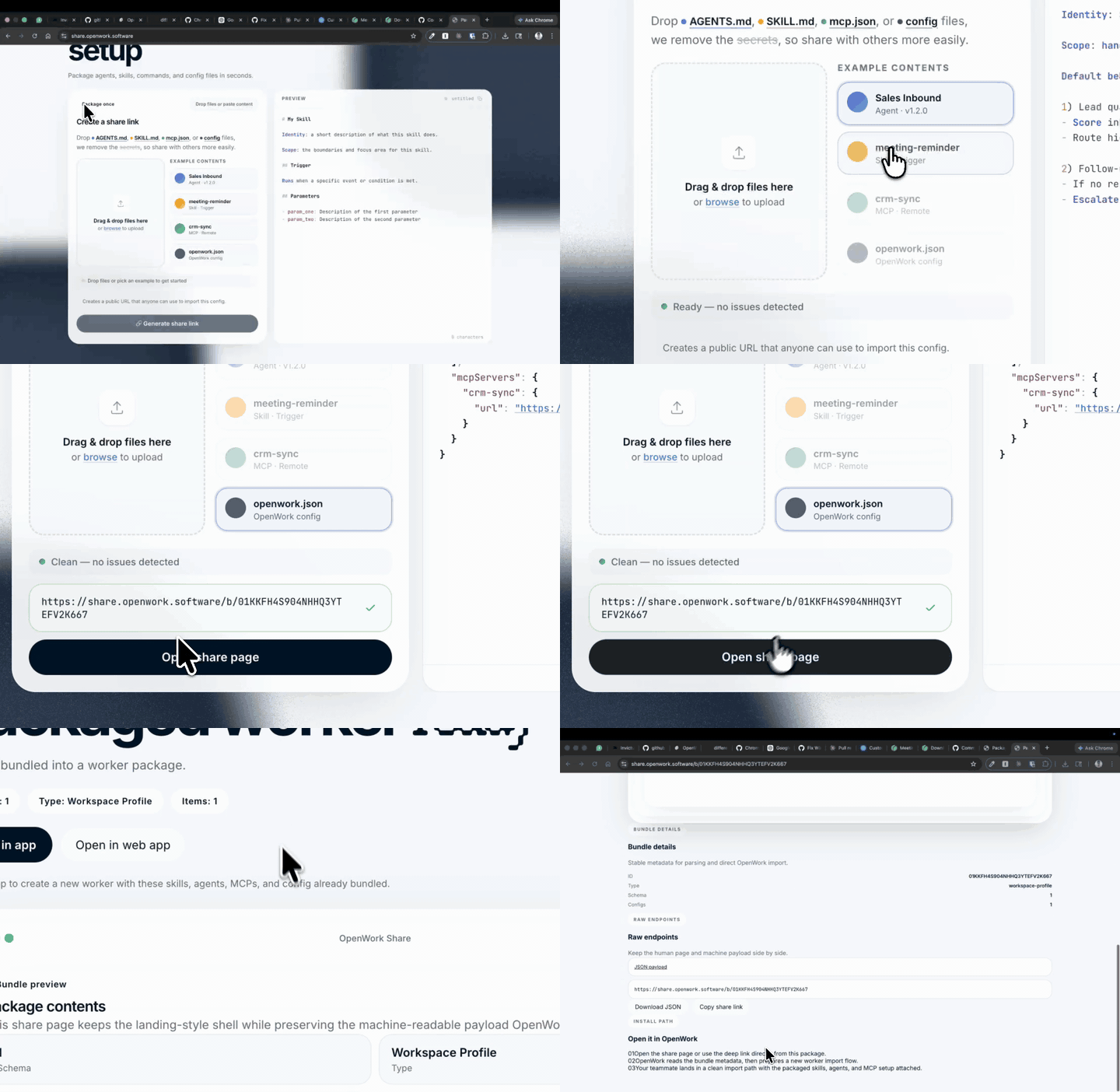
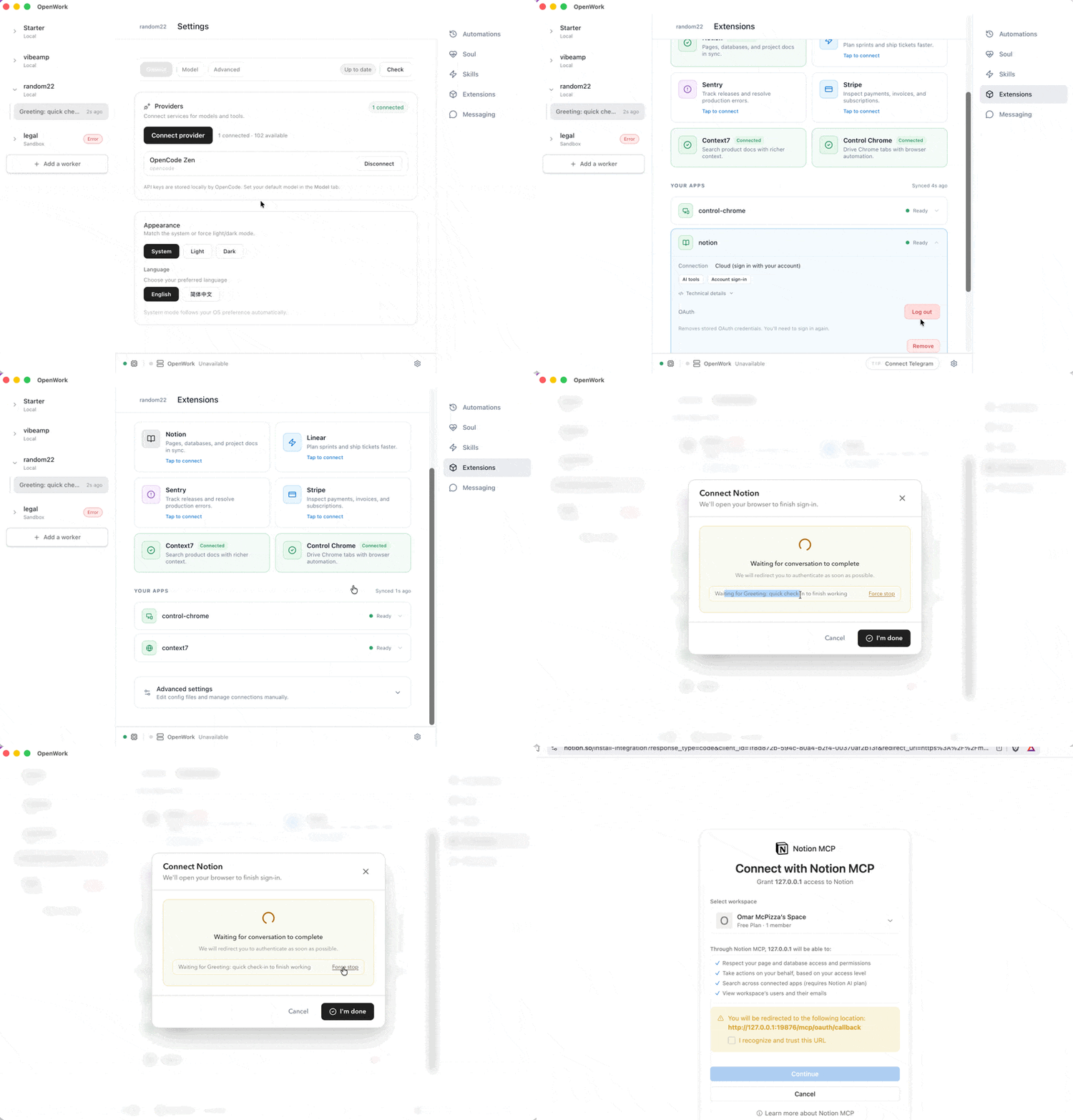
npm i -g openwork-server && openwork-server webnow runs the full OpenWork web app on a home server or VPS. It downloads the matching engine on first run and keeps its access tokens across restarts, andnpm i -g openwork-server@latestupdates it. Before, you had to clone and build the repo, install the engine yourself, and recreate tokens after every restart. - Connecting an account in chat no longer gets stuck. When the agent needs you to connect a service, you now always get a clear card to connect or skip, with Try again if sign-in doesn’t finish. Before, chat could wait forever on “Checking connection request…”.
- Chat replies are simpler. Creating or sharing a skill, asking for a mockup, being asked for an environment variable, and browsing connectors now reply in plain text instead of embedded cards. The connection card is the only one that stays.
- Your email stays out of the sidebar. The account row now shows your name and “OpenWork Cloud” instead of your email address. Your email is still at the top of the account menu.
- If you use OpenWork from Claude Code, Cursor, or Codex: agents can now list your organization’s skills and open any of them directly. Before, they had to guess search keywords, so organization skills often went unused.
- Clearer pricing everywhere. The website, docs, and sign-up now all show the same plans: Free, Team at $10 per seat per month, and Enterprise at $40 per user billed annually, with Cloud Computer and OpenWork models as add-ons. The website and docs also have refreshed branding.
🐛 Bug Fixes🚀 New Features🏗️ Refactoring
v0.18.49: Agent sessions recover more reliably and provider connections stay consistent
- Conversations now reopen and continue more reliably, with history pages filling correctly and background streaming preserved.
- Mobile chat is easier to use, with steadier submission, scrolling, keyboard, composer, and sidebar behavior.
- Provider connections and cloud workspace startup now handle credentials, readiness, and recovery more reliably.
- Removed custom agents and added clearer linked task references and alpha build information.
🐛 Bug Fixes🏗️ Refactoring
v0.18.44: Sessions preserve live progress and drafts
- Sessions now preserve live progress when cached threads are restored.
- Composer drafts stay in place, and instant sends are verified.
- Shared callback modes are recorded correctly for isolated MCP rows.
- Removed the legacy embedded connection app and gateway launch path.
🚀 New Features🐛 Bug Fixes🏗️ Refactoring
v0.18.43: Desktop connections unify and agent work recovers more reliably
- Desktop connection status now uses one clear native card, while sign-in and managed credentials recover more reliably.
- Browser tasks can use site tools, page controls, tab suspension and reload, selected logins, and user takeover.
- Agent runs recover more smoothly from stalled sends, interruptions, restarts, and follow-up turns, with drafts and sent messages staying visible.
- Computer Use adds hosted approval, native previews, scoped sessions, and continuation after takeover or refresh.
- Organization access, workflow apps, analytics, onboarding, and desktop policies are clearer and more dependable.
🚀 New Features🐛 Bug Fixes🏗️ Refactoring
v0.18.42: MCP connections become standard servers and desktop flows stay reliable
- MCP connections can now be exposed directly as standard MCP servers.
- OpenWork Dashboard now has its own page and interactive preview, with a new guide for MCP App widgets.
- Fixed browser opening, narrow-window Settings navigation, session visibility, permission requests, image lightboxes, and queued drafts so everyday work stays reliable.
- Added clearer Automations examples and Google SSO and SCIM guidance, while SSO setup now validates its configuration before enforcement.
🐛 Bug Fixes🚀 New Features
v0.18.41: Session status gets honest and cloud providers connect with saved credentials
- The Working indicator now tells the truth: it stops when a run errors or the engine is unreachable, and shows minutes once a run passes the first hour.
- Sessions reconcile more cleanly — completions are detected while you’re working elsewhere, queued messages send even when the session is out of view, and archiving works from any workspace.
- Cloud providers now connect using the credentials saved on your desktop, and Google Workspace retrieval is more resilient.
- Published the SOC 2 badge and compliance status on the landing page.
- Hardened security by fixing static-analysis findings and isolating provider sync contexts, alongside internal test and release tooling improvements.
🚀 New Features🐛 Bug Fixes🏗️ Refactoring
v0.18.40: Portable Agent Plugins arrive and desktop sessions run calmer
- OpenWork can now import and run portable Agent Plugins, bringing Anthropic-compatible plugin packs into the desktop app.
- Automations can be pinned to a specific workspace, and remote-session commands now arrive in native local sessions on your desktop.
- Fixed request storms and reload loops across Settings, the Library, the composer, and desktop policies, so long sessions stay fast.
- Gmail replies support collapsible quoting and attachments, and OpenWork Cloud members get complimentary OpenWork Web access.
- Strengthened sign-in and access security and made the desktop recover cleanly from socket and renderer crashes.
🚀 New Features🐛 Bug Fixes🏗️ Refactoring
v0.18.39: Richer session artifacts and more resilient agent runs
- Session files now live in the artifact rail instead of interrupting the chat transcript, with safer badge layout and responsive behavior on narrow screens.
- Markdown can render Mermaid diagrams safely, and code blocks offer a word-wrap control for long lines.
- Agent runs recover more reliably from idle admissions, queued follow-ups, event-stream restarts, Settings visits, and large workspace session histories.
- OpenWork Cloud adds per-member managed-model credentials, paid browser access, desktop delivery for remote-session commands, and more reliable worker recovery.
- Electron file transfers now work correctly across the remote bridge, and LiteLLM examples include synchronized model metadata.
v0.18.38: Split-view workflows and live sessions get more dependable
- Added cross-workspace split view and transcript actions for resuming interrupted runs.
- Live session status now survives navigation, workspace switches, and reattachment while long-running streams remain responsive.
- Refined tool-call activity, thought grouping, artifact controls, and Library choices so active work is easier to follow and manage.
- Cloud extension status now reflects real connectivity, remote-session capabilities reach cloud targets, and worker recovery avoids competing owners.
- Added a pull-only Docker evaluation stack and strengthened enterprise licensing documentation and stewardship metadata.
🚀 New Features🐛 Bug Fixes
v0.18.37: Managed dashboards arrive and everyday navigation gets faster
- Organization-managed MCP App dashboards now render on desktop, with a personal grid and an add-from-Connect picker that refreshes automatically.
- Code Mode and MCP Apps are enabled by default, and Dashboard visibility follows each deployment’s availability controls.
- Added an artifact code browser, branded connector tool calls, delegated-task shimmer, and smoother keyboard, Library, model, and chat controls.
- Improved streaming and render performance, stabilized sidebar ordering and Settings state, and kept composer focus through refreshes.
- Fixed Azure managed-provider credential selection and clarified Azure Foundry resource names for bring-your-own-key setup.
🚀 New Features🐛 Bug Fixes
v0.18.36: Hosted MCP Apps and cloud sign-in become more reliable
- Hosted MCP Apps now render through the credential-bound Den gateway, and Connect refreshes its MCP App catalog when cached inventory is incomplete.
- Fixed Den callback routing, API-origin derivation, and cookie forwarding so hosted sign-in remains on the correct domain.
- Workspace switches preserve live agent runs under load, while stale tool activity and scrolling no longer disrupt the active transcript.
- Desktop update channel selection stays stable, Automation control-plane traffic is bounded, and standalone MCP requests stop retrying indefinitely.
- Clarified the difference between local setup, managed OpenWork Cloud, OpenCode models, and OpenWork-managed models.
🚀 New Features🐛 Bug Fixes🏗️ Refactoring
v0.18.35: Desktop respects Automation deployment controls
- Desktop now shows Automation navigation and proposals and registers a runner only when the connected deployment explicitly enables Automations.
- Older and self-hosted deployments that do not advertise Automation availability remain safely disabled.
v0.18.34: MCP Apps guide connection setup and Desktop automations recover cleanly
- First-party MCP App cards now guide connection, plugin, and skill-created flows directly in chat, including useful recovery cards when a connection fails.
- Desktop automations report outcomes, open their execution threads, and recover missed runs and credential failures more reliably.
- Programs are now called Workflows, with obsolete selection tools and legacy MCP App surfaces removed.
- MCP connections are more resilient to server recovery, protocol changes, OAuth refresh bursts, and stale credentials.
- Added current product screenshots, enterprise desktop deployment guidance, and a deployment-level Automation control.
🚀 New Features🐛 Bug Fixes🏗️ Refactoring
v0.18.33: Library setup gets clearer and background connections recover cleanly
- The Library Add flow now starts with clear choices for skills, MCP connections, plugins, and repositories.
- Desktop automations recover rejected credentials and slow down repeated reconnect attempts instead of getting stuck.
- Cloud MCP health checks and GitHub token requests are bounded, preventing background connection work from running away.
- Added a Google Cloud deployment prompt, stronger MCP OAuth validation, and more reliable release publishing.
v0.18.32: Workspace imports and SAML replay protection get safer
- Workspace imports now reject archives that expand beyond safe file-count or size limits.
- Fixed SAML replay protection so its reservation IDs remain compatible with stored identity records.
- Clarified how administrators can validate a live Okta SCIM setup.
v0.18.31: Enterprise identity records stay valid
- Linked SSO and SCIM accounts now always use valid identity IDs, preventing malformed enterprise account records.
- Release validation is faster and extended-test failures produce clearer alerts.
🚀 New Features🐛 Bug Fixes🏗️ Refactoring
v0.18.30: Queue follow-ups and simplify the session workspace
- Follow-up messages now run sequentially, so queued work stays ordered instead of competing with the active turn.
- The model picker is more compact and the session sidebar is denser, leaving more room for the conversation.
- Improved slow-spec coverage, LiteLLM provider proof, and runtime failure handling make releases easier to validate.
v0.18.29: SSO setup respects verified domains
- SSO configuration is now gated on domain verification, preventing an organization from enabling an identity provider before its domain is trusted.
- Added the Okta SAML callback configuration and setup documentation.
v0.18.28: Connections move into the Library
- Library and composer Connections now share one consistent experience for discovering and using organization capabilities.
- Added the foundation for hosting native MCP Apps in the desktop’s private host.
- Improved Code Mode routing, public API proxying, and MCP synchronization reliability.
v0.18.27: Safer organization setup and signed Windows releases
- Added the initial private-admin bootstrap flow for Den organizations.
- Added public cloud deployment guides and improved Okta SSO/SCIM setup.
- Windows builds are signed by default, and Sentry events now include the app version.
🚀 New Features🐛 Bug Fixes
v0.18.26: Automations graduate, MCP Apps come alive, and sessions stay resilient
- Automations are out of preview: propose recurring work from chat, choose a model and thinking level, review clearer receipts, restore earlier revisions, and run work on your desktop or in OpenWork Cloud.
- MCP Apps now bring interactive tools directly into conversations. Install external apps through Connect, open agent-generated views inline, and save reusable Code Mode Programs for future runs and Automations.
- Cloud setup is much smoother, with mobile and tablet support, automatic installer downloads, simpler organization sign-in, model-usage analytics, and a clearer dashboard organized around Work, Manage, Observability, and Team.
- Connect is more dependable: organization models appear automatically and refresh without restarting, OAuth works with more providers, and the Library clearly explains connection failures. Marketplace is now called Collections throughout OpenWork.
- Agent runs now survive provider updates, engine restarts, workspace switches, and intermittent cloud connection failures, alongside fixes for stuck uploads, startup failures, and interrupted sessions.
🚀 New Features🐛 Bug Fixes
v0.18.13: Extensions becomes the Library and skill sharing opens up
- Extensions is now the Library — one place for everything your org can use, with tabs for what’s ready, needs sign-in, or needs admin setup, on desktop and web.
- Any organization member can now create plugins and cloud skills and share them straight from chat; access panels show who can use what, team by team.
- Organizations can add multiple named Google Workspace connectors — each member signs in once per connector and agents pick the right account by name.
- Chat now renders LaTeX math, shows immediate feedback while submitting, and adds number shortcuts to jump between visible sessions.
- Recycled cloud sandboxes keep their chat history, and the artifact panel refreshes when the agent edits the open file.
🐛 Bug Fixes
🐛 Bug Fixes🚀 New Features
v0.18.11: Live agent runs stop getting interrupted
- Credential changes and background provider updates no longer tear down the agent event stream mid-run.
- Composer skills, MCPs, and extensions load instantly from local data while cloud results land live.
- Hardened Den organization lifecycles: invitations, re-invites, team cleanup, and legacy SSO/SCIM migration.
- A malformed workspace list can no longer make the app unloadable.
🚀 New Features🐛 Bug Fixes
v0.18.10: Org connections come to the desktop and cloud providers get dependable
- Connect, reconnect, and disconnect organization connections directly from the desktop app.
- Cloud LLM providers are now set up server-side and reach the engine globally, so org-approved models just work.
- Cloud workspaces show status and version with a one-click update, and boot states replace stale error flashes.
- Fixed organization invite lifecycles and redesigned the bring-your-own-key provider editor.
🐛 Bug Fixes
🚀 New Features
GLM 5.2, now in the API — with 2x usage
- GLM 5.2 in OpenWork Models — GLM 5.2 is available through OpenWork Models with 2x usage, so your team can run real agent work on an open model at a fraction of the cost.
- Run your day from chat — Tasks now organize into groups (In progress, Done, Requires attention) and you can move them by asking the chat instead of clicking.
- Split screen — Two windows side by side. Keep a reference open on the left while you work on the right.
- Voice mode — Control the OpenWork UI by voice. Talk through a task, navigate panels, and drive the agent without touching the keyboard.
- Advanced analytics on OpenWork Cloud — Usage, activity, and team behavior in one view for teams running OpenWork at scale.
🚀 New Features🐛 Bug Fixes
v0.15.0: OpenWork learns session workflows and UI control
- Added session management primitives for pinning, archiving, custom groups, group assignment, manual ordering, and drag-and-drop between groups.
- Added UI control tools and capabilities knowledge so agents can navigate OpenWork itself, open settings, discover actions, and explain product capabilities from docs.
- Improved artifact handling, provider picker promotion, environment-variable provider states, and sidebar group behavior.
🚀 New Features🐛 Bug Fixes🏗️ Refactoring
v0.14.1: Cloud resources and Google Workspace move into the desktop flow
- Added desktop cloud resource sync so org-managed providers, MCPs, and config can flow into the active desktop workspace.
- Added Google Workspace OAuth setup and surfaced the Google Workspace extension in the app.
- Improved provider-empty states, model picker behavior, message rendering, browser panel behavior, and desktop boot reliability.
- Closed Cloud API trust-boundary issues around plugin-system grants and internal MCP principal impersonation.
🚀 New Features🐛 Bug Fixes
v0.13.12: Cloud policies, marketplaces, extensions, and enterprise identity land
- Added Cloud desktop policies for owners and admins to restrict desktop capabilities by org, member, or team.
- Merged Cloud marketplace and extension management into the desktop Extensions experience, including built-in extension visibility and policy-controlled disable states.
- Added org-scoped SCIM and SSO admin flows, member dashboard views, and Den server sandbox coverage.
- Added Voice Mode, HandsFree and Computer Use extension surfaces, plus stronger permission-helper flows.
- Imported Cloud MCPs into workspace config and improved environment variable settings.
🚀 New Features🐛 Bug Fixes
v0.12.8: Electron release hardening and Cloud marketplace import
- Expanded Electron releases across macOS, Linux, and Windows with migration controls and release recovery fixes.
- Added Cloud plugin marketplace import and React cloud provider sync.
- Improved composer behavior, skill creation, session resume stability, paste chips, inline errors, and settings noise.
- Added user environment variable UI and per-server MCP enable/disable toggles.
🚀 New Features🐛 Bug Fixes
v0.11.212: Den desktop controls tighten and Cloud providers stay in sync
- Better org controls: Organization owners can now limit or block models, providers, and updates to specific releases.
- Auto-sync cloud providers into the active org workspace. The app should be able to update, remove, and reconcile disconnects more reliably.
- Improved admin flows in the cloud, with explicit names for LLM providers and a more robust active-org handling.
🚀 New Features
v0.11.210: Den enterprise org controls expand and microsandbox preview lands
- Added a microsandbox preview mode. Toggle in
Settings>Advancedto enable it and test it out. That means no more docker as requirement to create fast, isolated workspaces. - Openwork Organization owners can now define allowed email domains. Active-Org-Aware Desktop sign-in, and rename their org.
- Better control for Org owners regarding who accepts invites and invite delivery failures.
- Quality of life: Added Spanish and Catalan localization, a shortcut to access the docs in the app and made the landing page easier to read for agents.
🚀 New Features🐛 Bug Fixes
v0.11.207: Windows downloads return and OpenWork speaks French
- Restored free public Windows desktop downloads across the landing and download flows so Windows users can download installers again without a paid checkout path.
- Added French localization for the OpenWork app so users can navigate core product surfaces in French.
🚀 New Features🐛 Bug Fixes
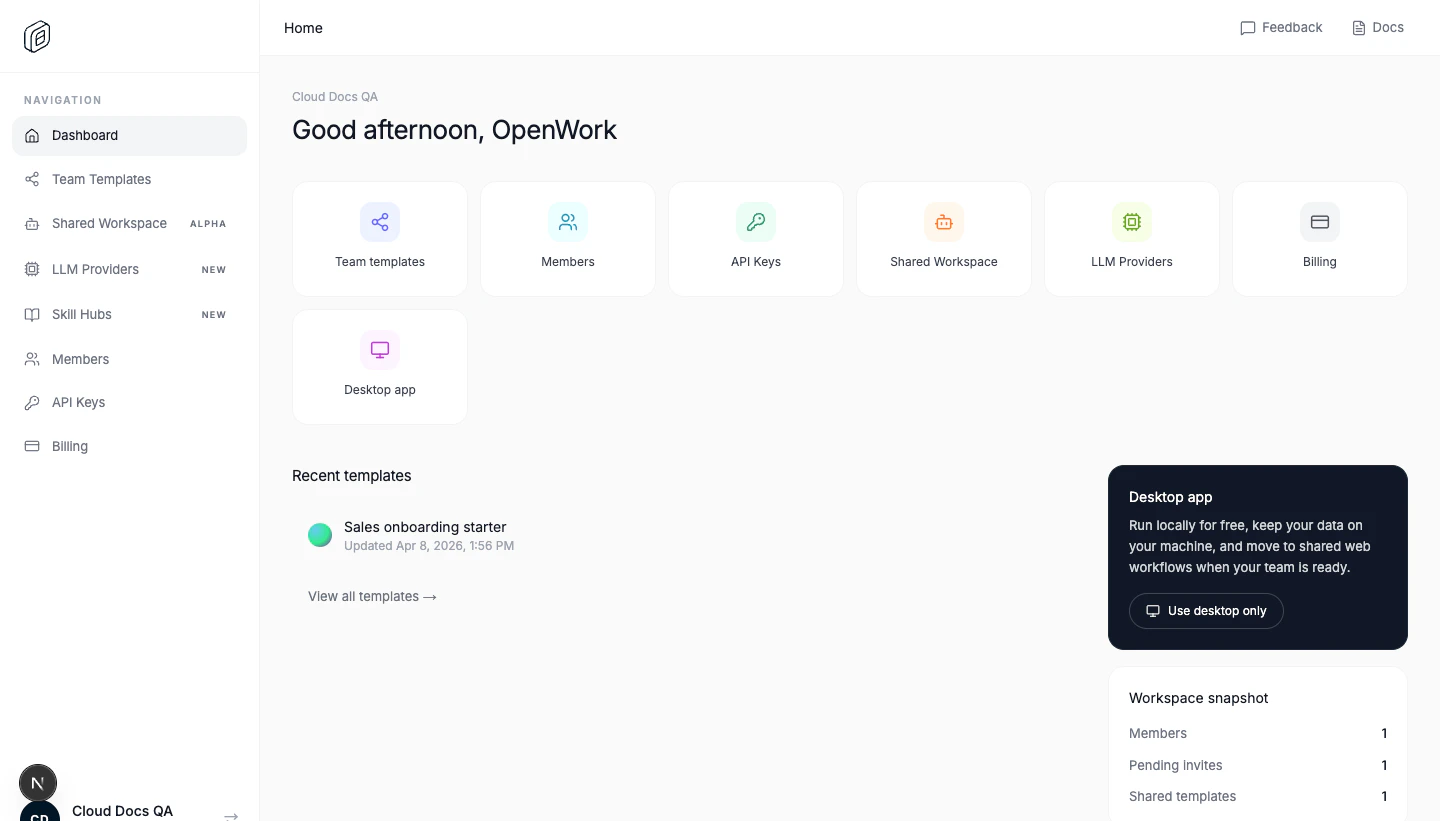
v0.11.205: OpenWork Cloud launches for teams
- OpenWork Cloud now has orgs, teams, shared skills and workers.
- Added custom LLM providers so everyone in the company can use the same org-approved LLMs in Openwork.
- As an org admin, you can control members, invitations, teams, and custom RBAC roles for your company.
 OpenWork Cloud | 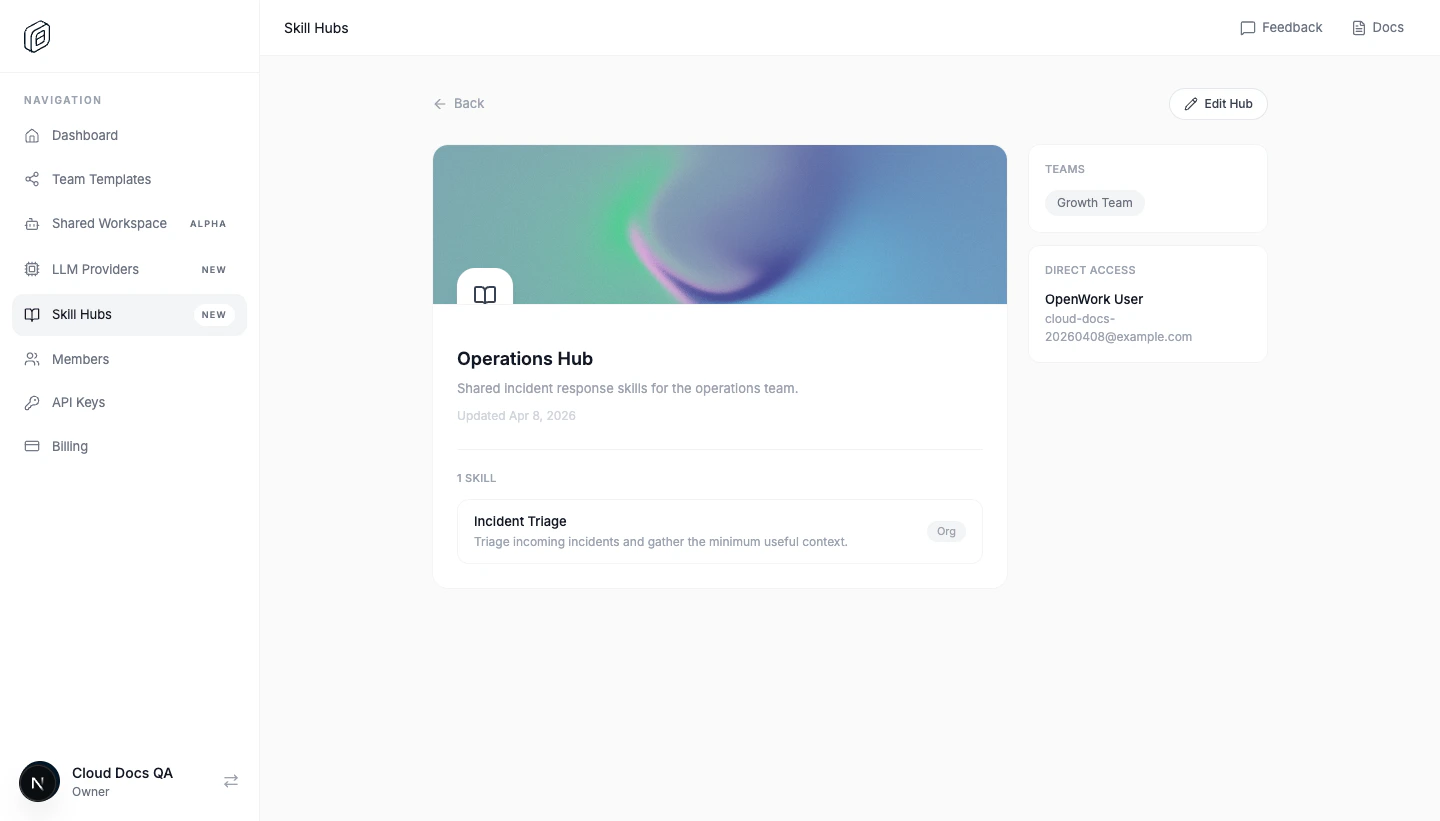 Shared skills |
🚀 New Features🐛 Bug Fixes
🚀 New Features
🚀 New Features🐛 Bug Fixes🏗️ Refactoring
🐛 Bug Fixes
🚀 New Features🐛 Bug Fixes🏗️ Refactoring
🚀 New Features🐛 Bug Fixes
🚀 New Features🐛 Bug Fixes
🐛 Bug Fixes🚀 New Features
🚀 New Features🐛 Bug Fixes
🐛 Bug Fixes🏗️ Refactoring🚀 New Features
🐛 Bug Fixes🚀 New Features🏗️ Refactoring
🐛 Bug Fixes🏗️ Refactoring🚀 New Features
🐛 Bug Fixes🚀 New Features
🚀 New Features🐛 Bug Fixes
🐛 Bug Fixes🚀 New Features
🐛 Bug Fixes🚀 New Features🏗️ Refactoring
🚀 New Features🐛 Bug Fixes
🐛 Bug Fixes🚀 New Features🏗️ Refactoring
🚀 New Features🐛 Bug Fixes