

Create the custom provider
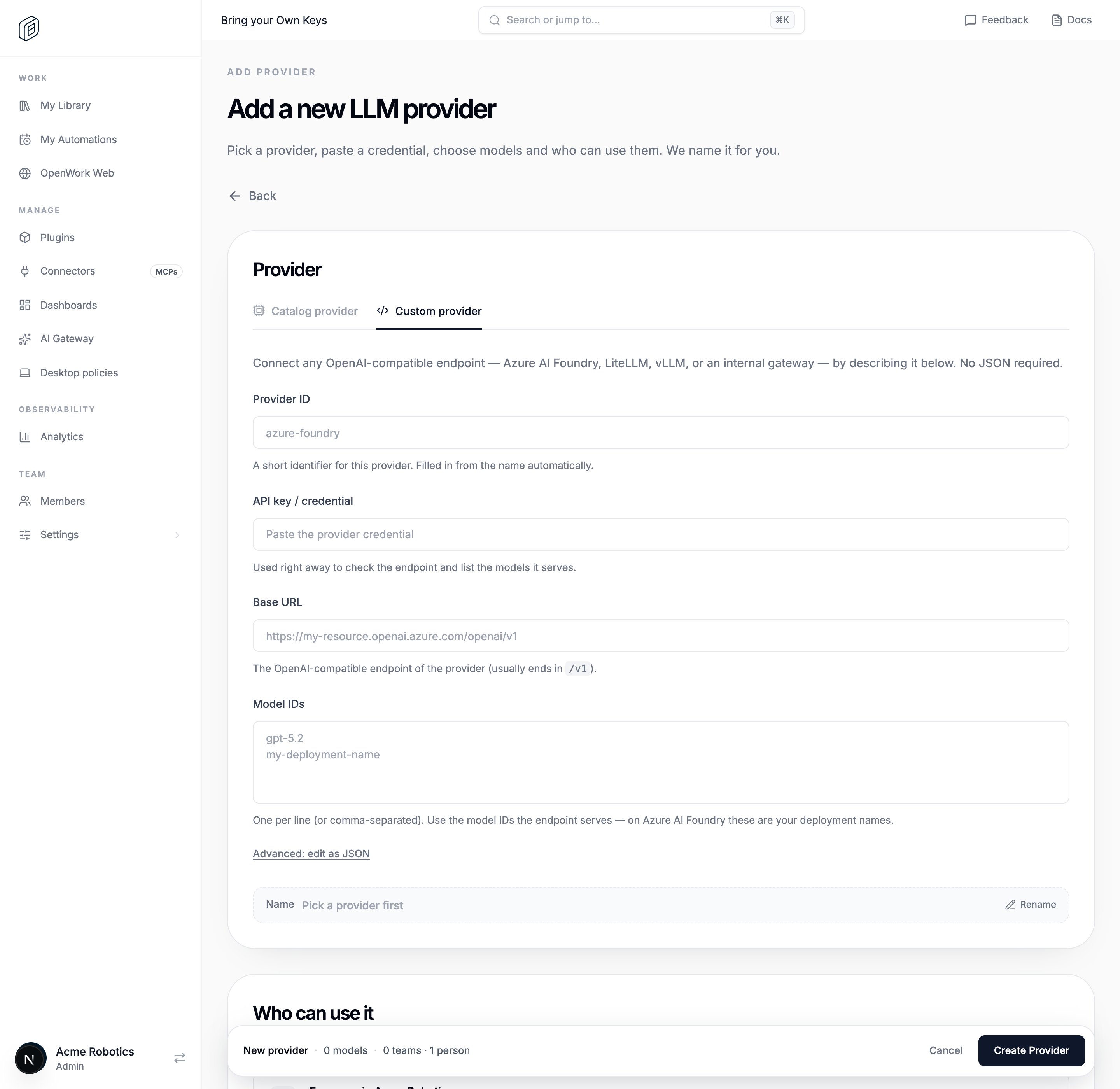
- In OpenWork Cloud, open AI Gateway › AI Providers.
- Scroll to Legacy Providers and click Add legacy provider.
- Switch to Custom provider.
- Paste the shared key into API key / credential.
- Enter the Base URL of the OpenAI-compatible endpoint. It usually ends in
/v1. For Azure AI Foundry it looks likehttps://my-resource.openai.azure.com/openai/v1. - OpenWork checks the endpoint and lists the models it serves. Pick the ones to share. If a model is missing, click My model isn’t listed — enter IDs manually and type the IDs in Model IDs, one per line. On Azure AI Foundry, these are your deployment names.
- Enter a short Provider ID, such as
azure-foundry. Or click Rename next to Name and type a name, and the Provider ID fills in from it. If you don’t rename it, the name is based on the endpoint, for examplemy-resource.openai.azure.com — key 1. - Under Who can use it, keep Everyone in (your organization name), or pick specific Teams and People.
- Click Create Provider.
Advanced: raw JSON config
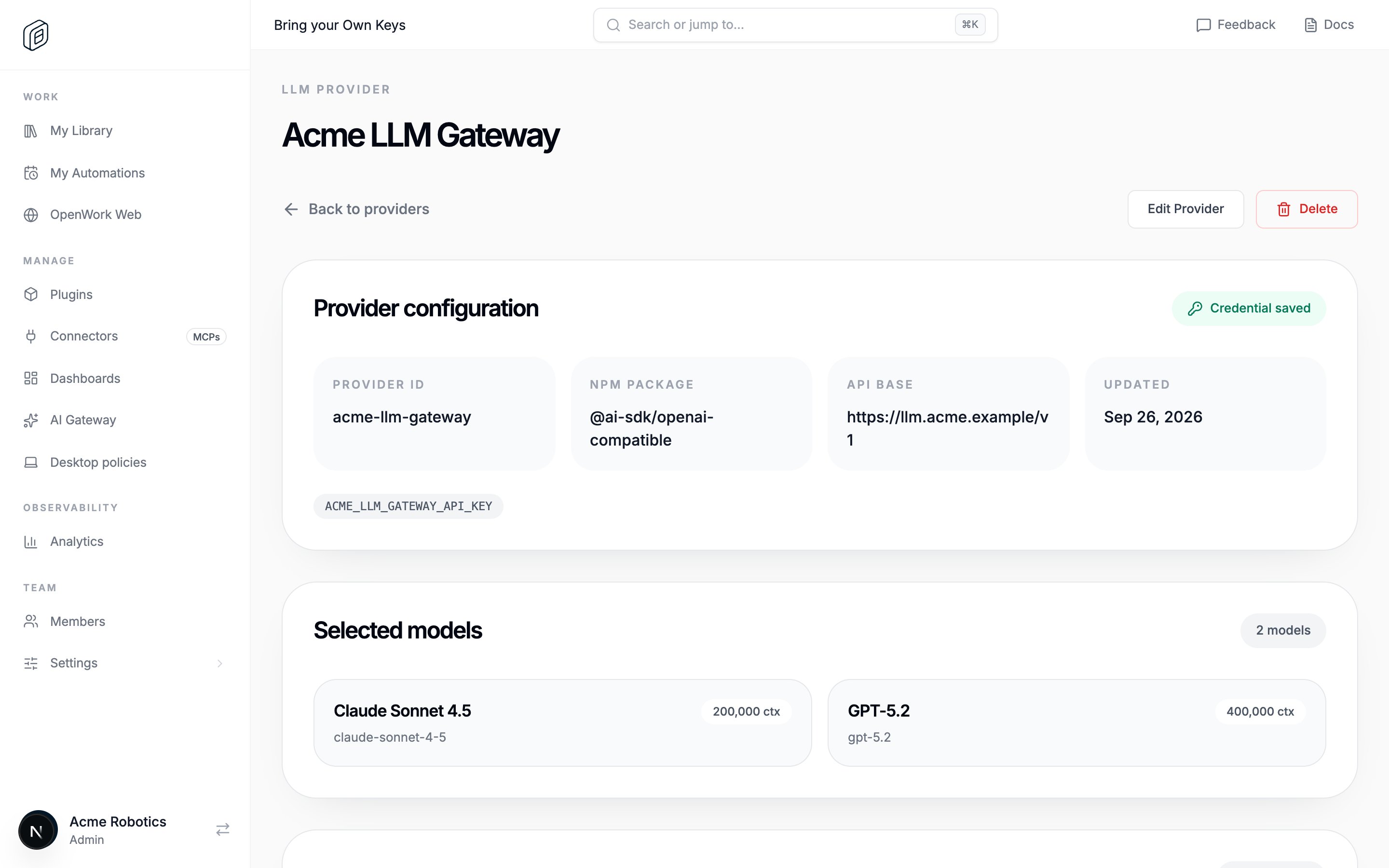
If the provider needs more than the form covers (a different AI SDK package, per-model limits or modalities, custom options), click Advanced: edit as JSON and paste a models.dev-style definition into Custom provider JSON / JSONC. Click Use the guided form instead to go back. The JSON must includeid, name, npm, env, and models; api is optional, but most OpenAI-compatible providers use it. The editor requires valid JSON, at least one environment variable, and at least one model.
What members see
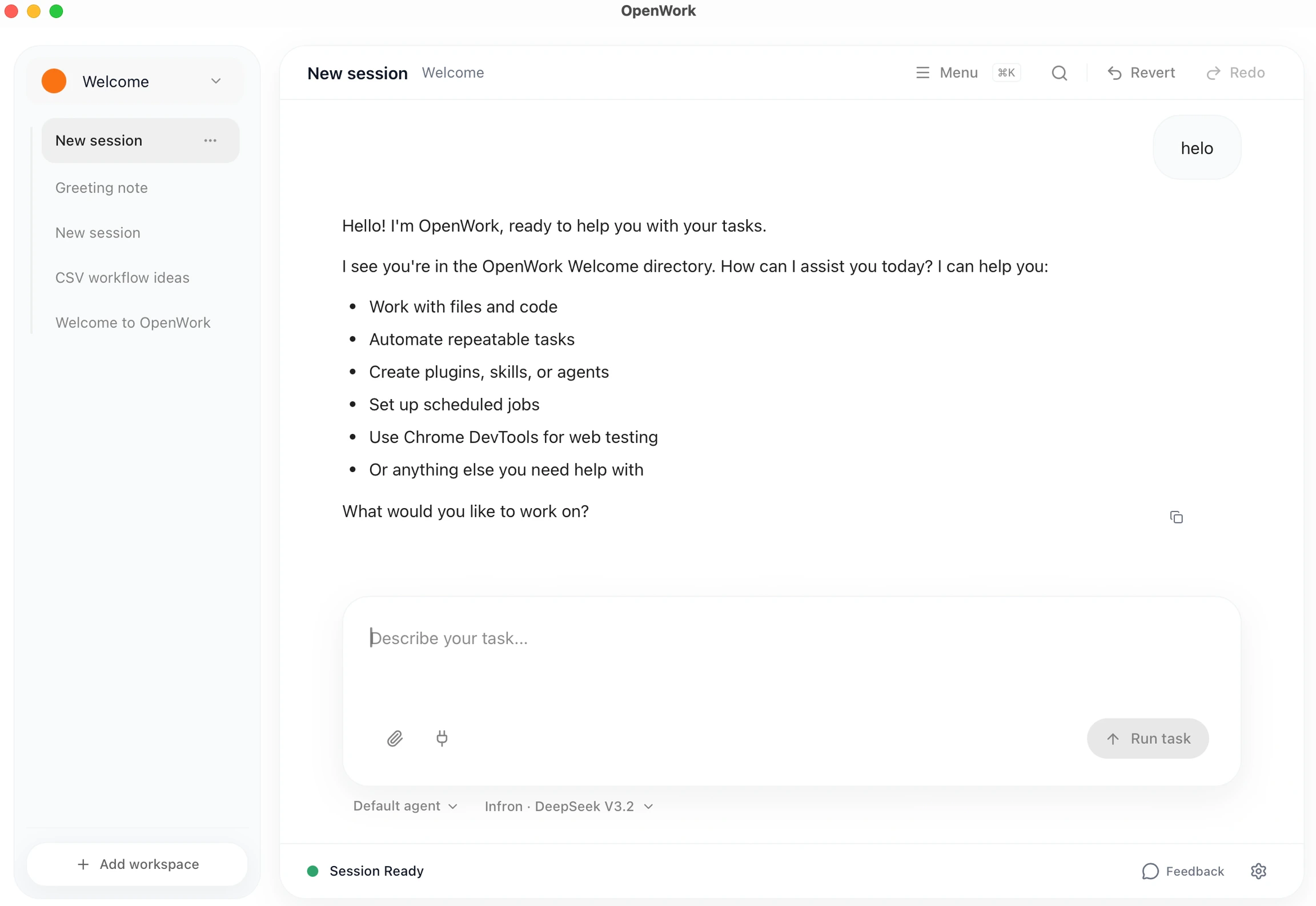
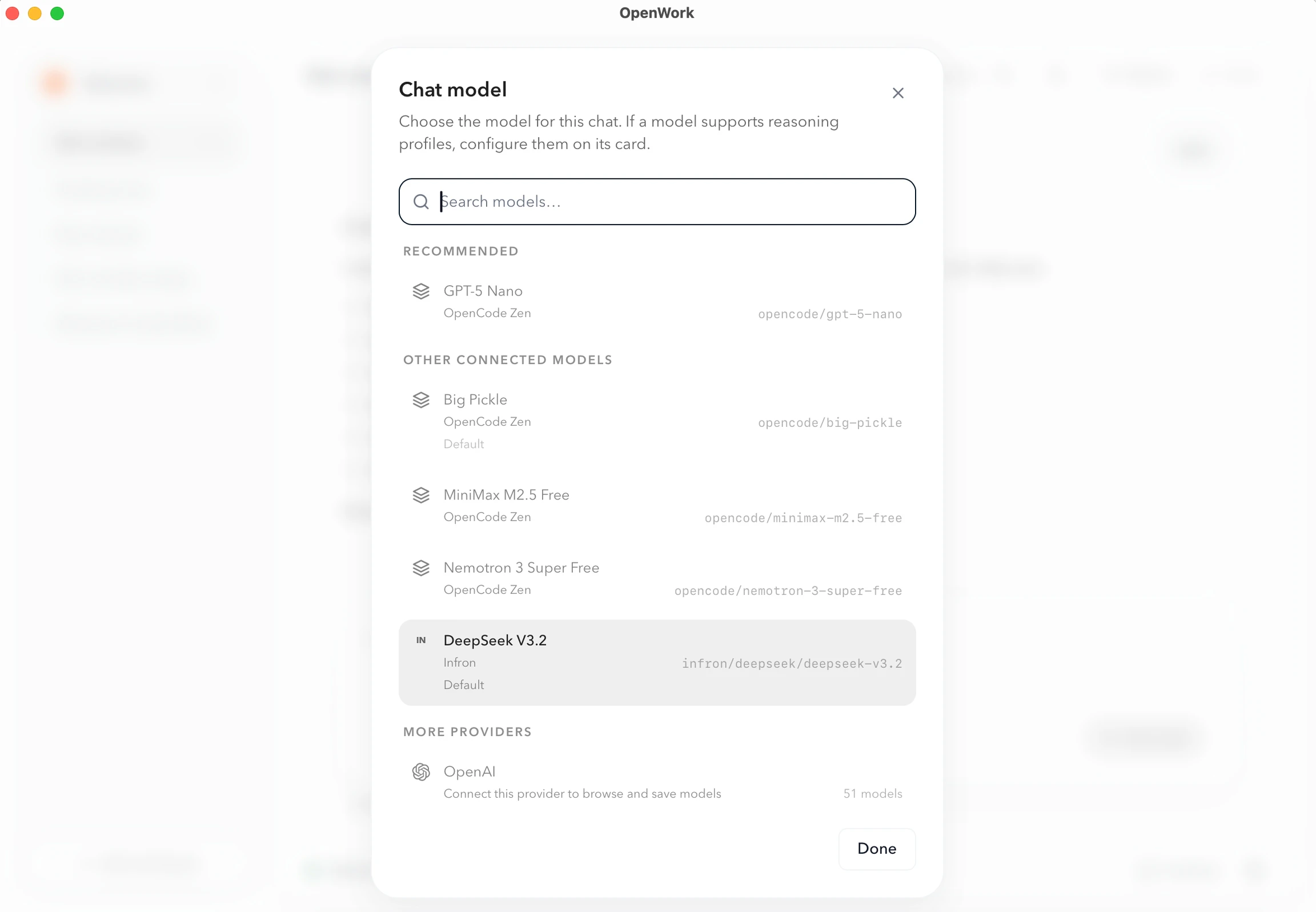
Members don’t import anything. Their desktop app syncs the provider automatically, and its models show up in the model picker. Members can check status in Settings › AI Providers › Cloud providers. See What members see.Functional example: an LLM gateway (Infron)
An LLM gateway is one OpenAI-compatible endpoint that fans out to many model providers. If you want to run the routing yourself, LiteLLM is a good starting point. Infron is the hosted option: one API key gets you every model in its marketplace with automatic provider fallbacks and a single invoice, so adding a new LLM to OpenWork is just another entry undermodels.
Grab a key from the API Keys dashboard. If you don’t have an account yet, sign up at infron.ai/login and their quickstart walks you through your first request.
Add a legacy provider, switch to Custom provider, and paste the key into API key / credential. Then click Advanced: edit as JSON and use this JSON:
models to expose other routes the gateway supports (e.g. openai/gpt-5.4, google/gemini-2.5-flash).