

See the provider support matrix for authentication, APIs, and limits for each Gateway integration.
For an AI Gateway provider, follow AI Gateway: Set it up. The rest of this page covers legacy providers.
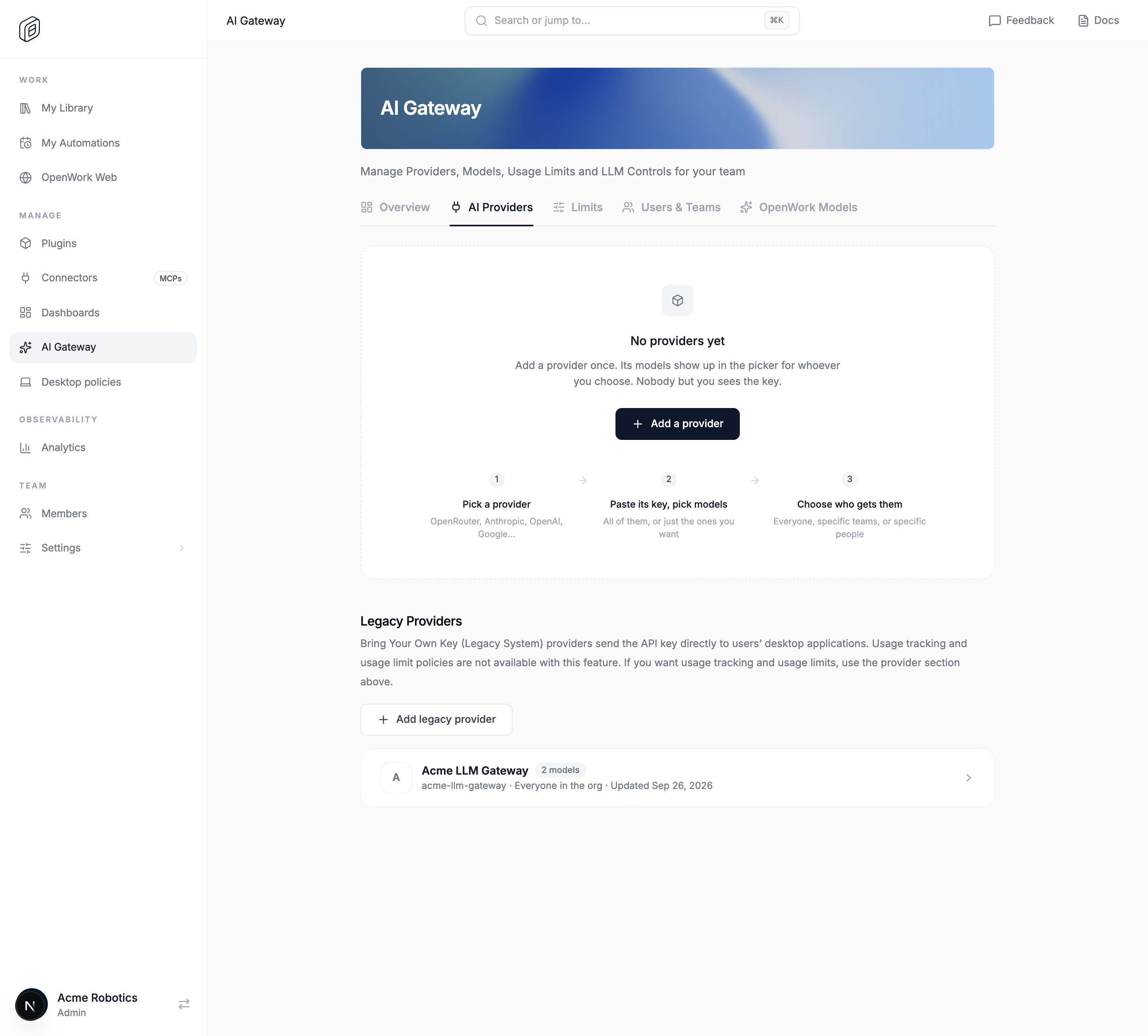
Add a legacy provider
- In OpenWork Cloud, open AI Gateway › AI Providers.
- Scroll to Legacy Providers and click Add legacy provider.
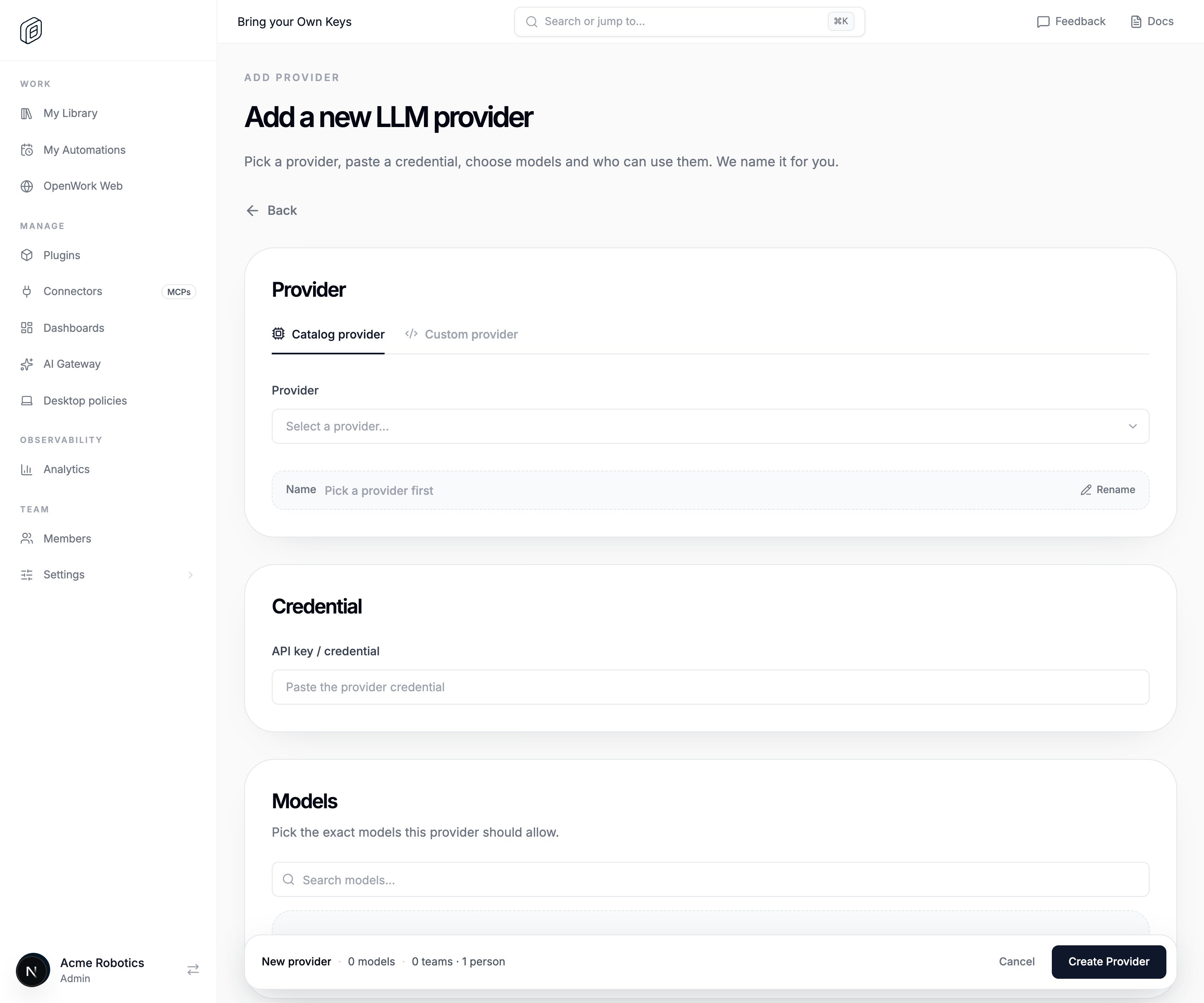
- Stay on Catalog provider and choose one in Provider. OpenWork names it for you. Click Rename to change the name.
- Paste the shared key into API key / credential.
- Under Models, pick the models to share.
- Under Who can use it, keep Everyone in (your organization name), or pick specific Teams and People.
- Click Create Provider. OpenWork checks the models first. If the check fails and you still want to save, click Save anyway.
What members see
Members don’t need to import anything. The desktop app syncs org providers when it starts, when the member signs in, when they open the model picker, and when they open provider settings. The models then show up in the model picker. To check sync status, members open Settings › AI Providers and scroll to Cloud providers. The provider is also listed under Providers with your organization’s name as a badge. Click Sync now to sync right away.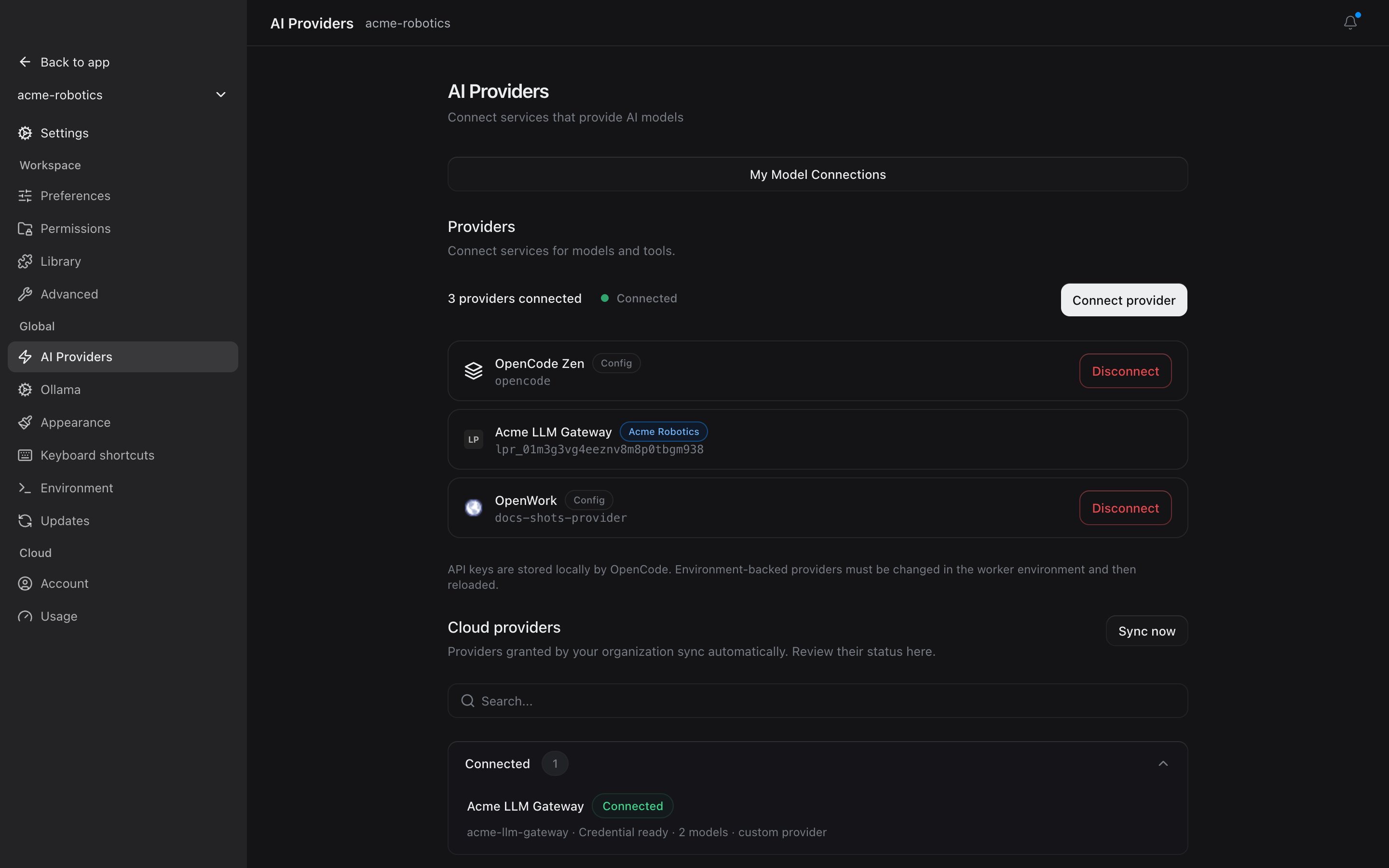
Change or remove it
Open the provider from Legacy Providers:- Edit Provider changes the models, key, or who can use it. Members get the change the next time their app syncs.
- Delete removes the provider and its access rules. It disappears from members’ apps the next time they sync.
- Move to gateway turns a catalog provider into an AI Gateway provider, which adds usage tracking and spend limits. Custom and per-member providers can’t be moved.