

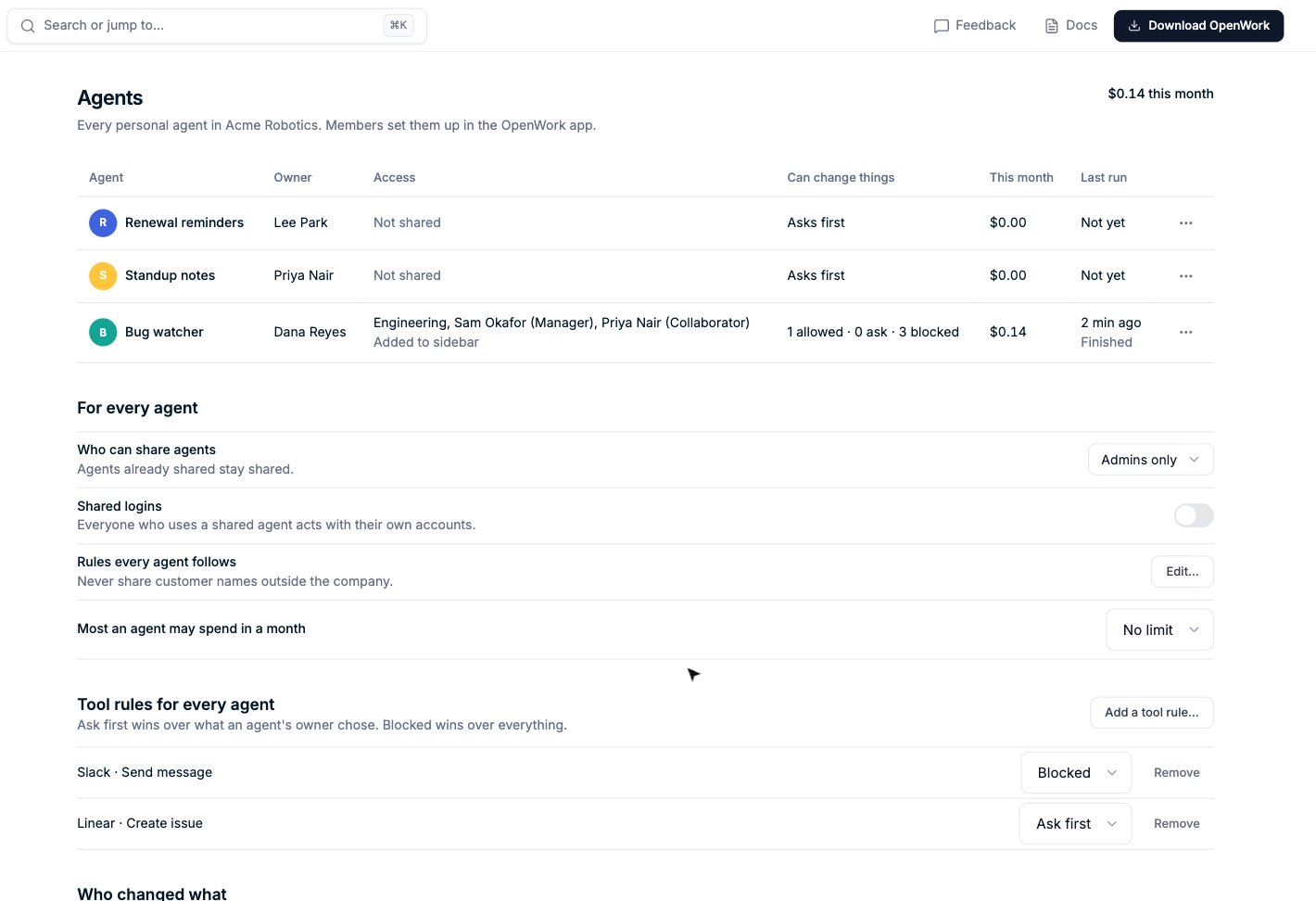
Read the list
The dashboard doesn’t show briefs, routine instructions, or chats.
Manage one agent
Open the actions menu in the agent’s row:- Pause stops new runs from doing work. If a run is in progress, OpenWork refuses further tool calls while the agent is paused. Resume lets the agent run again.
- Set budget… sets a monthly limit for this agent.
- Change access… gives teams or the whole organization collaborator access to an already-shared agent. Use Add to their sidebar to put it in those members’ sidebars. People with individual access keep it.
- Move to another owner… transfers the agent and its routines, not private chats. The new owner can read the brief and routine instructions. Runs waiting for the previous owner don’t start.
- Archive… archives the agent and its routines. Waiting runs don’t start. Run history is kept.
Set rules for every agent
Under For every agent:- Who can share agents: Everyone lets owners and managers share within their roles. Admins only also requires them to be admins. Existing access stays in place. An agent whose owner isn’t an admin can’t be shared for the first time unless the setting changes or an admin becomes its owner.
- Shared logins: Off by default. Turning it off removes saved loans. Turning it back on doesn’t restore them. See Whose accounts it uses.
- Most an agent may spend in a month: Set a limit that applies to each agent.
- Blocked stops the tool, even after a one-run approval.
- Ask first requires approval even if the agent is set to Allow.
- Allow automatically lets a tool run without asking unless the agent is set to Ask or Block.